
Set up a ticket inbox

Create a ticket inbox to receive and send customer messages through a connected email or SMS provider. Each inbox can define who can access it and which department, assignees, and signature new tickets use.
Who this is for
Section titled “Who this is for”Agency team members who manage ticket settings. Requires Manage Ticket Settings.
Before you begin
Section titled “Before you begin”- Connect the provider in Settings, then Integrations before creating the inbox.
- For email, AgencyTitan supports Google Workspace and Mailgun.
- For SMS, AgencyTitan supports Twilio.
- Decide who should see the inbox and which defaults new tickets should receive.
Open Inboxes
Section titled “Open Inboxes”-
Open Settings, then Tickets ( /settings/tickets (opens in new tab) ).
-
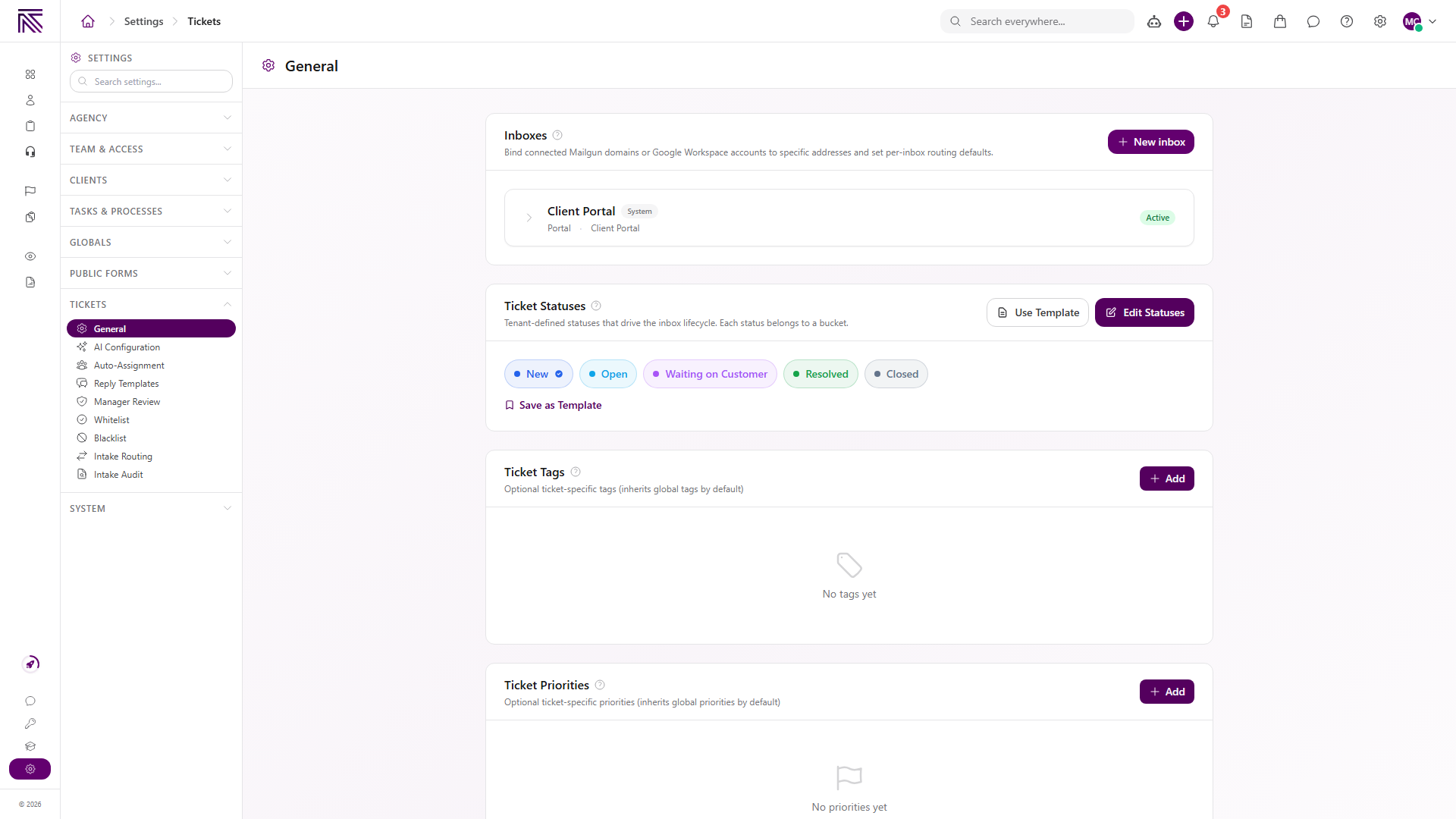
Find Inboxes at the top of General.
View full size
The Client Portal inbox is a system inbox. It receives portal conversations and cannot be recreated as a normal connected inbox.
Create an inbox
Section titled “Create an inbox”-
Select New inbox.
-
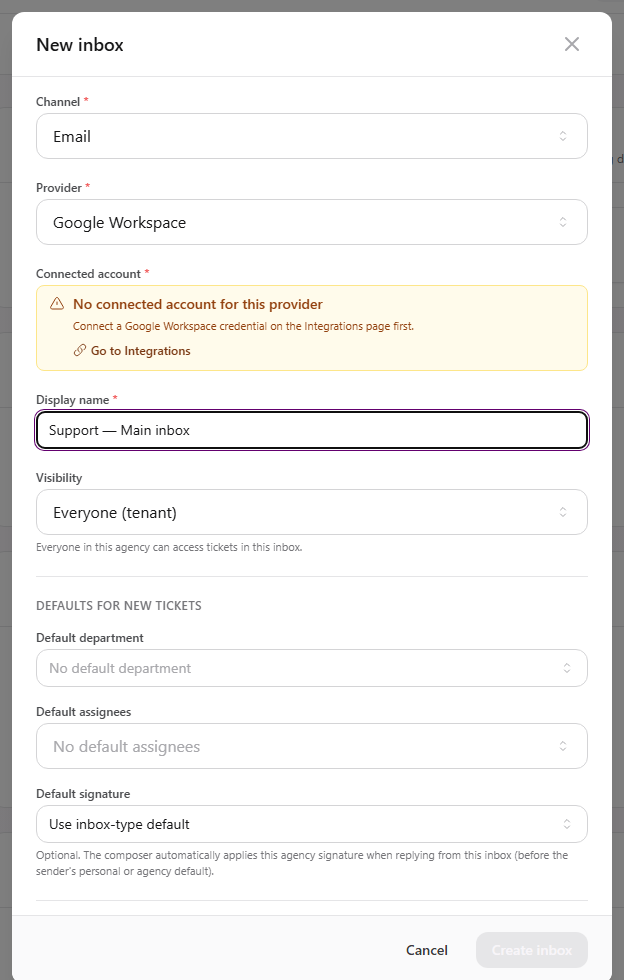
Choose Channel:
- Email for Google Workspace or Mailgun.
- SMS for Twilio.
- Phone (coming soon) is visible but cannot be created yet.
-
Choose Provider.
-
Choose a Connected account.
If AgencyTitan shows No connected account for this provider, select Go to Integrations, connect the provider, then return to the form.
View full size -
Enter Display name.
-
Choose Visibility:
- Everyone (tenant) allows everyone in the agency to access tickets in the inbox.
- Restricted limits access according to the people and settings you choose.
-
Configure DEFAULTS FOR NEW TICKETS:
- Default department
- Default assignees
- Default signature
-
Review the inbox switches:
- Default inbox makes new tickets default to this inbox.
- Active allows the inbox to accept new activity.
- Allow inbound controls whether incoming messages create or update tickets.
- Allow outbound controls whether team members can send from the inbox.
- Require client match controls how unmatched senders are handled.
- Create tickets from sent emails to clients can turn a new sent email to a known client into a ticket.
-
For Google Workspace, choose whether the inbox inherits or overrides agency Gmail sync settings.
-
Select Create inbox.
Require a client match
Section titled “Require a client match”When Require client match is on, choose what happens when the sender does not match a client:
- Discard completely logs the decision without creating a blocked inbound item.
- Route to Blocked inbound keeps the message available for review and recovery.
Use the second option when your team needs to inspect unmatched messages before deciding what to do.
Expected result
Section titled “Expected result”- The inbox appears in Inboxes with its channel, address or number, visibility, and active state.
- Team members with access can select it in the Tickets sidebar.
- New tickets receive the configured department, assignees, and signature defaults.
- Inbound and outbound behavior follows the switches you selected.
Troubleshooting
Section titled “Troubleshooting”| Symptom | Likely cause | What to do |
|---|---|---|
| New inbox is missing | You lack Manage Ticket Settings | Ask a workspace owner to review your ticket settings permission |
| Create inbox stays disabled | Provider account, display name, address, or number is missing | Complete every required field and choose a connected account |
| No connected account is listed | Provider is not connected for this agency | Open Integrations and connect Google Workspace, Mailgun, or Twilio |
| Team member cannot see the inbox | Inbox visibility is restricted | Review visibility and the person’s access |
| Inbound messages are ignored | Allow inbound is off | Edit the inbox and turn on Allow inbound |
| Replies cannot be sent | Allow outbound is off or the provider connection lacks send access | Turn on outbound access and reconnect the provider if needed |
| SMS number is unavailable | Number is not on the connected Twilio account or its webhook belongs elsewhere | Choose an available Twilio number or correct its webhook configuration |
Related articles
 Concept Tickets overview How the Tickets inbox, ticket conversations, assignment, statuses, inboxes, routing rules, and reply templates fit together.
  How-to Find and work tickets Use inboxes, quick filters, statuses, departments, client filters, and search to find and open tickets in the Tickets inbox.
  How-to Assign and update a ticket Change ticket status, priority, assignees, client, department, tags, privacy, and inbox from the ticket view.
  How-to Create intake routing rules Route brand-new email tickets by sender, subject, known-client match, and arrival inbox using ordered ticket intake rules.
  How-to Create reply templates Create shared ticket reply templates with formatted content and shortcodes, then insert active templates from the ticket composer.