
Create a client

Create a client record from the Clients list. Enter Client Name, choose Client Profile, complete any required fields your agency configured, then open the new client on its Info Sheet.
Who this is for
Section titled “Who this is for”Agency team members who add client records. Requires the Create Clients permission. Without it, Add Client does not appear.
Before you begin
Section titled “Before you begin”- At least one Client Profile template exists for your agency.
- You are signed in to the correct agency workspace.
New to clients and profiles? See Core Concepts.
-
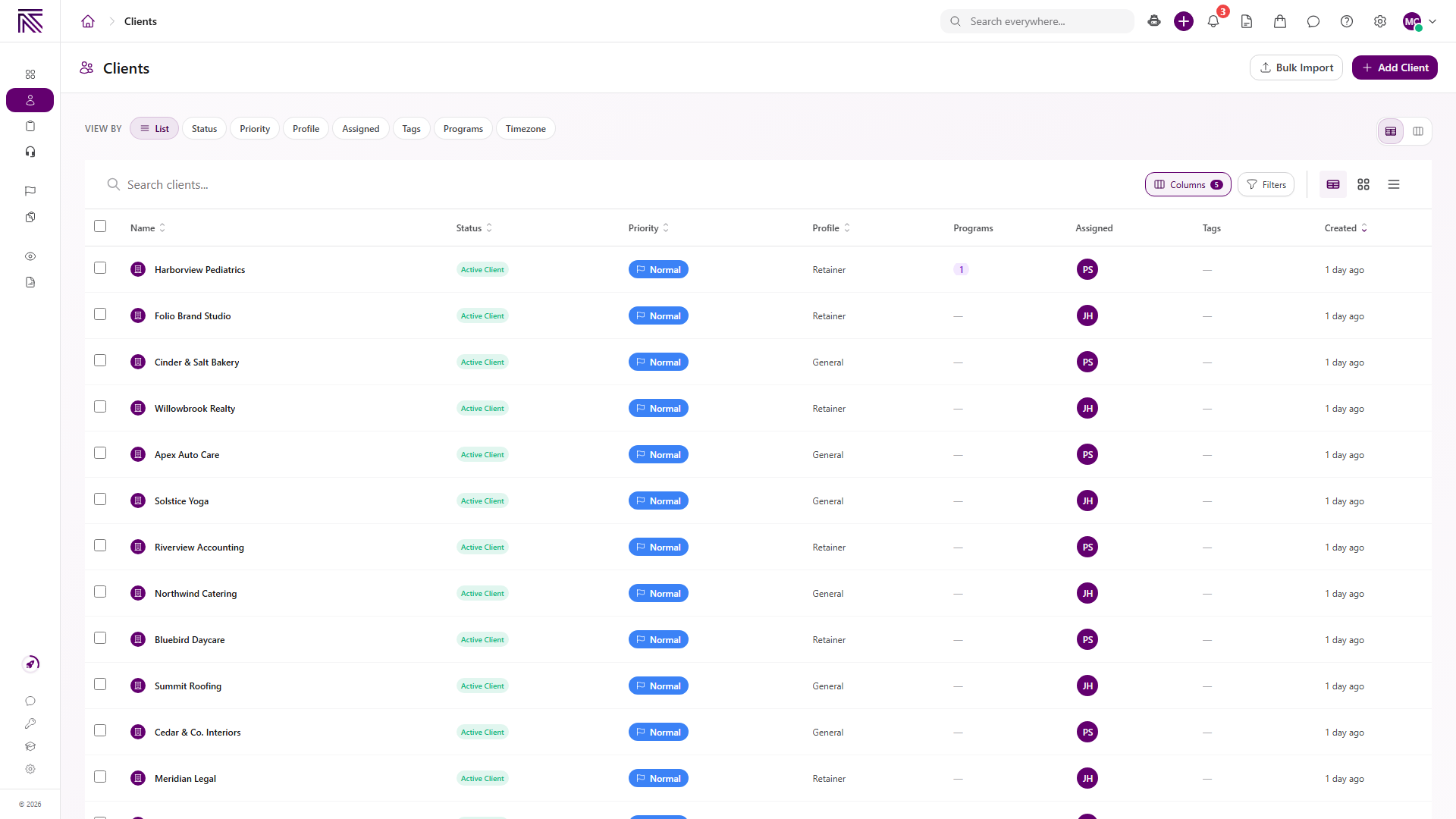
Open Clients ( /clients (opens in new tab) ).
View full size -
Select Add Client.
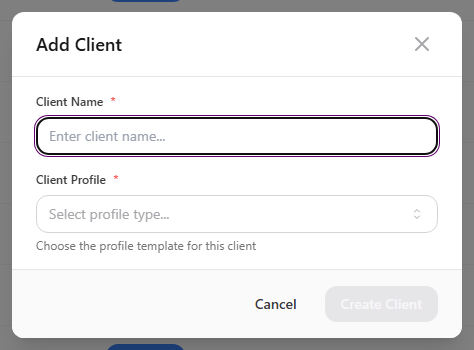
The Add Client modal opens. Client Name and Client Profile are required.
View full size -
Enter Client Name.
-
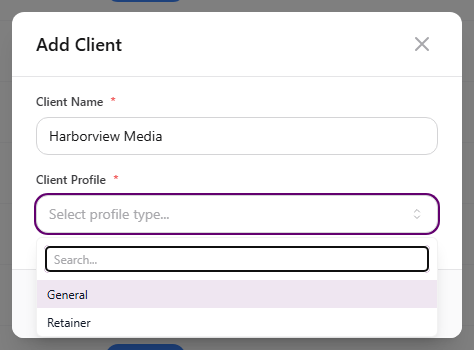
Open Client Profile and choose the template for this client.
View full size -
Fill any additional required fields your agency configured on the client profile.
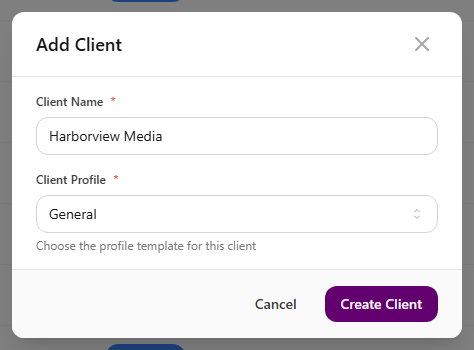
These fields appear after the profile loads. Create Client stays disabled until required data is valid and field loading finishes.
-
Select Create Client.
View full size
Expected result
Section titled “Expected result”-
The new client opens on its Info Sheet.
-
Status defaults to Active Client and Priority defaults to Normal.
-
The client appears in your Clients list when you return to it.
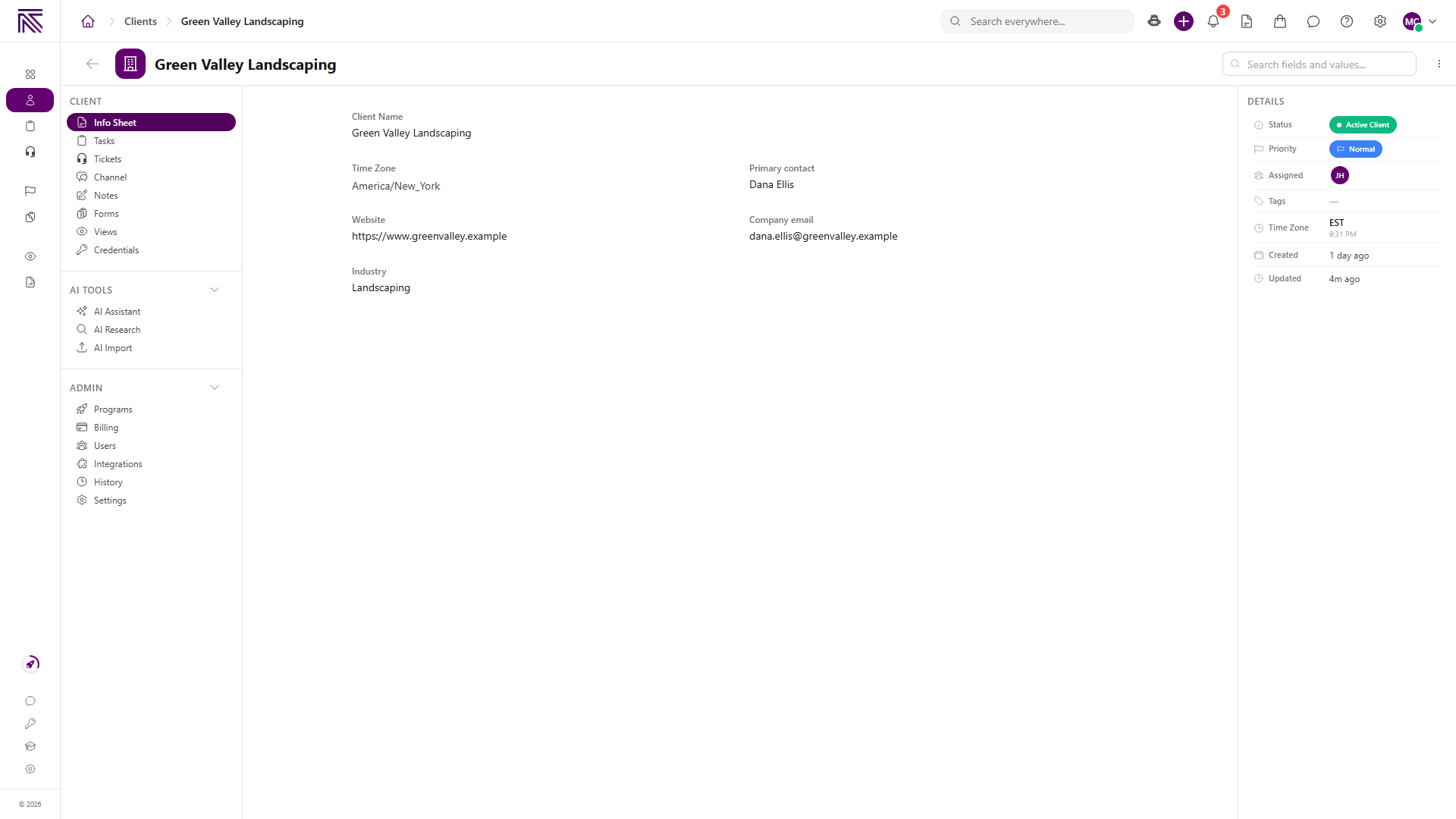
View full size
Optional / variants
Section titled “Optional / variants”- Use Bulk Import on the Clients page when you need to add many records at once.
- After creation, add contacts, notes, and other details from the client Info Sheet.
Troubleshooting
Section titled “Troubleshooting”| Symptom | Likely cause | What to do |
|---|---|---|
| Add Client is missing | You lack Create Clients | Ask a workspace owner to grant Create Clients |
| Create Client stays disabled | Required fields are empty, invalid, or still loading | Enter Client Name, choose Client Profile, and complete any agency-required fields. Wait for Loading required fields… to finish |
| Extra required fields appear | Your agency marked fields as required on the client profile | Fill those fields before creating the client |
| Creation Failed / No agency selected | No active agency workspace | Switch to the correct agency or sign in again |
| Create Client never enables after choosing a profile | Field validation failed on a required custom field | Check inline errors on required fields below the profile selector |
Related articles
 Concept Clients overview Understand the Clients list, client record anatomy, Client Profile templates, Info Sheets, notes, programs, tasks, and tickets.
  How-to Find and organize clients Search and filter clients on the Clients list, customize columns, sort results, pin important accounts, and switch list layouts.
  How-to Update a client Edit client details on the Info Sheet and Client Settings, change status and priority from the list, update branding and slug, and reassign the Client Profile template.
  How-to Invite a client portal user Invite a client contact to the client portal so they can sign in and access this client's workspace. Send a client portal invite from the Client Portal Users page.
  How-to Delete a client Remove a client from normal Clients lists with typed DELETE confirmation. Delete one client from the record page or several from the Clients list.
  Concept Core Concepts Learn the AgencyTitan product model: workspace, clients, tasks, tickets, escalations, chat, SOPs, training, views, automations, programs, and settings.
  Concept Welcome to AgencyTitan Sign in, find the main areas of the agency app, and choose a first-week path.